THE UK'S LEADING SAME DAY PRINTER!
Resolution & Quality
Image resolution plays a crucial role in how sharp and professional your printed product will look. This guide explains what resolution means, why it matters, and how to avoid blurry or pixelated prints.
What does resolution mean?
Resolution refers to the amount of detail in an image. In printing, this is measured in DPI (dots per inch).
The higher the DPI, the more detail is available — resulting in a sharper, clearer printed image.
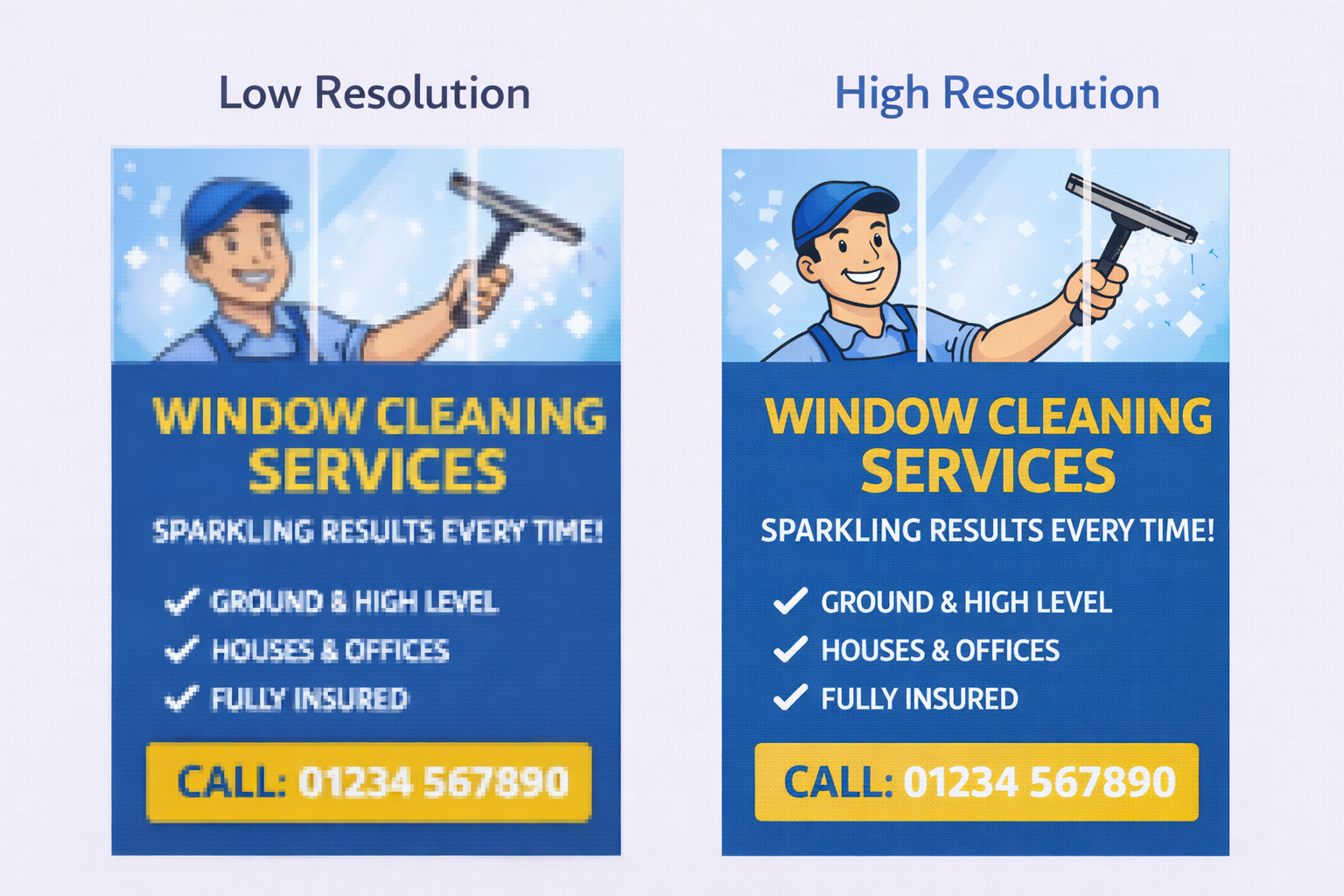
Images with low resolution may look fine on screen but can appear blurry or pixelated when printed.
Recommended resolution for print
For best results, we recommend:
- 300 DPI for all images and artwork
- Exporting your final file at 300 DPI
This ensures your design prints sharply, even when viewed up close.
Scaling images (a common mistake)
Enlarging a small image to fit a larger print size does not increase its resolution.
Stretching an image spreads the existing pixels over a larger area, reducing quality.
If an image looks blurry on screen at 100% zoom, it will look blurry in print.
Photos from phones & screenshots
Modern smartphones can produce high-quality images, but screenshots and images downloaded from the web are usually low resolution.
Social media images are heavily compressed and are not suitable for print.
Always use the original image file whenever possible.
Visual comparison
These examples show the difference between low and high resolution when printed.
Quick quality checklist
- ✔ View your artwork at 100% zoom
- ✔ Check images are sharp and clear
- ✖ Avoid stretching small images to fill large areas
- ✔ Export your artwork as a high-quality PDF
- ✔ Check your proof carefully before approval